

An on-site submission archive
Keep form data in the WordPress database, separately from your email inbox.
Entries Database for Contact Form 7 – iKetch
Completely free · For business sites using Contact Form 7Save Contact Form 7 submissions in your site database. Search entries, track their status and export them when needed. Completely free, with no Flamingo dependency.
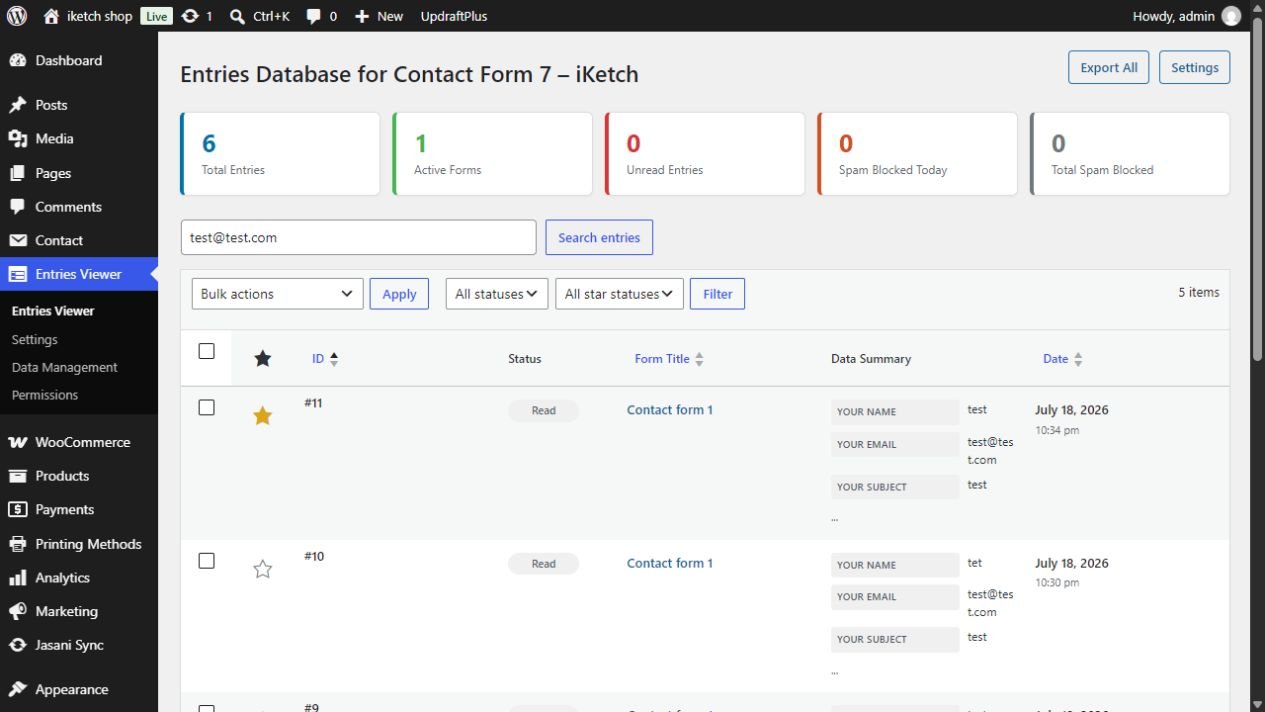
Search saved submission data and filter by read and favourite status. Keep important enquiries within your team’s reach.
Export entries to CSV for spreadsheets, or print an individual submission. Choose the export scope that suits the task.
One entry · Selected entries · All entries
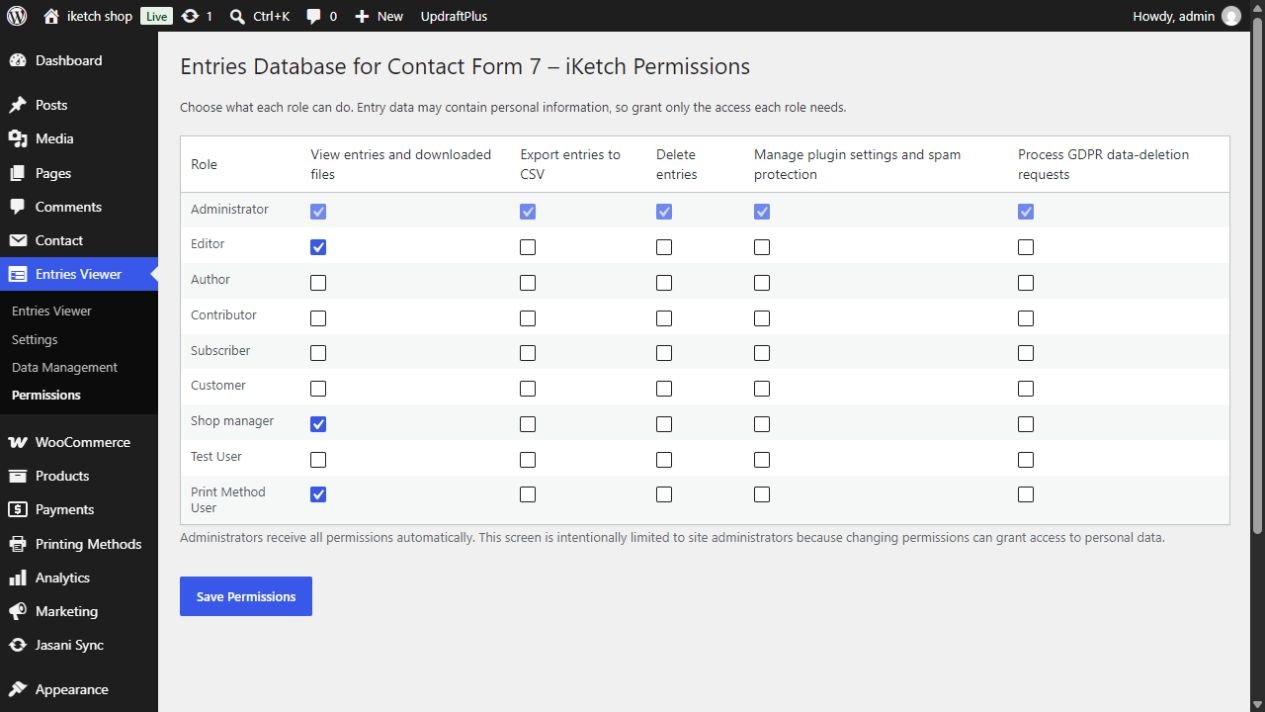
Give each role the access it needs to view, export and delete entries. Configure attachment saving and automatic cleanup to match your site policy.
Keep form data in the WordPress database, separately from your email inbox.
Search saved data, favourite important entries and track read status.
Export one, selected or all entries to CSV, and print an entry from its detail screen.
Assign team permissions, configure attachment storage and automatic cleanup, and use email-based deletion tools.
An inbox alone makes follow-up harder. Keep a record inside WordPress, then search entries and review details whenever you need them.
Try the illustrative interface to explore the workflow.
| the name | Message | Status |
|---|---|---|
| Quote request | Unread | |
| Website inquiry | Read | |
| Support request | Favorite |
3 sample entries; select a name to view details.
Explore the interface and workflow before choosing your edition.
Actual screenshots from the installed plugin. The list shows test submissions only.
Search, export, favourites and permissions are included without a subscription or upgrade. Install from the WordPress directory to start capturing new submissions.
No. Every feature described here is free in the plugin published on WordPress.org.
No. The plugin requires WordPress and Contact Form 7; neither Flamingo nor WooCommerce is required.
It captures new submissions after activation. It cannot recover earlier messages that were never stored.
Exports are UTF-8 CSV with a BOM for spreadsheet compatibility, including Arabic in Excel. The plugin does not create XLSX workbooks.
No. Storage and email delivery are separate. Check your mail configuration if notifications do not arrive.
Save Contact Form 7 submissions in your site database. Search entries, track their status and export them when needed. Completely free, with no Flamingo dependency.