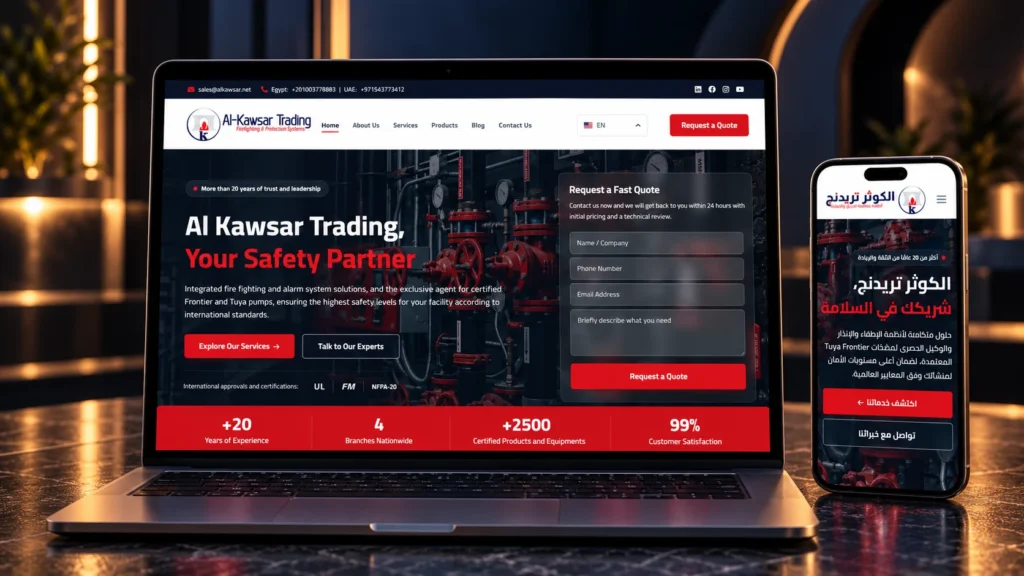


A website may look impressive in a portfolio, but screenshots do not show how your customers will use it on a phone, whether its forms and languages work, or what the agency actually delivered. Evaluating a web design company’s portfolio starts with trying the projects and asking about the provider’s role and decisions.
Choose two or three projects from each provider and apply the same review below. You will come away with specific observations and questions you can compare before hiring.
1. Look for requirements similar to yours
Industry experience is useful, but similar functions can be more relevant. A supplier may need product specifications and quote requests, while a consultancy needs clear services, team expertise, and a consultation enquiry. Look for evidence that the provider can organize the content and functions your project requires.
If no example matches your sector, explain your requirements and ask about a project with a related function: a multilingual catalogue, customer accounts, or a business-system connection. The number of screenshots alone will not answer those questions.
2. Open the website and follow a customer journey
Start with a task, such as finding a service, checking a product specification, or locating the quote-request process. Can you complete it without guessing? Is the next step clear after reading the page?
Try the homepage, a service or product page, and the contact page. Notice the information order, headings, and next action. A useful website for your business makes that journey easier; elaborate animation or large images are not enough on their own.
3. Review mobile and inner pages
Use your actual phone as well as a computer. Open and close the menu, navigate through sections, and check whether you can read and use the page without constant zooming or sideways scrolling.
- Text: Is it readable, and do headings explain the content?
- Buttons: Can you tap them without accidentally hitting a neighboring control?
- Tables and images: Does the information remain understandable? If a table scrolls, can you reach its remaining columns?
- Forms: Are fields and labels clear, and can you move between them easily?
Do not stop at the homepage. Inner pages can be longer and more complex, and they may be where visitors make their decision.
4. Examine the functions your project needs
Try the public interface without creating real enquiries or orders. On a store, review filters, product pages, the cart, and the route to checkout without purchasing. On a multilingual website, switch from an inner page to its counterpart in the other language and check menus and text direction.
For form submissions, orders, and payments, request an approved demonstration or test environment. Do not send test data to client websites simply to assess a portfolio.
Some expertise is invisible to visitors, including admin permissions and business-system integrations. Ask for a walkthrough using sample data that shows how information is added, where requests arrive, and what happens if a connection fails, without exposing private customer information.
5. Use speed testing to understand a problem
If images or main content feel slow to appear, try checking the page with PageSpeed Insights. Review an important inner page as well as the homepage, on both mobile and desktop.
Google’s documentation explains that the tool provides lab tests in a simulated environment and real-user experience data when available. The two can differ. Use the report to form a specific question about performance rather than reducing the project’s quality to one score.
Ask when the website was delivered, who manages it now, and whether its hosting, plugins, or content have changed. A current issue deserves an explanation, but it does not establish who caused it or how the site performed at handover.
6. Establish what the provider actually delivered
A provider may have designed the interface, developed a client-supplied design, or added one feature to an existing website. Each contribution can be valuable. What matters is whether the demonstrated expertise matches the work you want to commission.
For a project you like, ask:
- Which parts did you design or develop?
- Who supplied the content, images, and translations?
- Did you build the admin features and integrations and carry out testing?
- Do you still maintain it, and what has changed since handover?
If the portfolio reports increased enquiries or sales, ask about the measurement source, time period, and changes made. A screenshot or general testimonial does not explain what caused a result.
7. Judge how well the design serves the business
An industrial supplier needs accessible specifications, a catalogue, and an enquiry route. A service company may need clear specialties, evidence of experience, and a straightforward contact journey. Suitable design helps each audience reach what matters to it.
Ask why the pages, projects, or products were organized that way and how the approach would change for your requirements. An answer about content, customer journeys, and editing workflows is more useful than a promise to copy an interface you like.
8. Keep one comparison worksheet
Use the same criteria for each website and mark them suitable, needs clarification, or not tested. This is a record of observations, not a validated technical score.
- The project, its main purpose, and its relevance to your requirements.
- The task you tried and the pages you opened.
- Mobile navigation, readability, and controls.
- Languages, search, filters, and forms, where accessible.
- Performance observations, report link, and test date if used.
- The provider’s role in design, development, and operation.
- The answer or demonstration you need before deciding.
Instead of “the mobile website is poor,” write “the services menu stays open after I choose a page on my phone.” A precise description makes the response easier to assess and helps distinguish a fixable issue from a gap in the expertise you need.
9. Apply the review to the iKetch portfolio
Start with the iKetch portfolio and choose projects closest to your intended website. Read each project description, open the live website when available, and try a relevant journey. If a function you need is not visible to visitors, ask the team to demonstrate it.
You can also review our website design and development service to understand planning, implementation, testing, and handover, then bring your observations and requirements to the project discussion.
10. After the portfolio review, discuss delivery
A portfolio helps you assess observable experience, but it does not define your own proposal. Use the pre-contract questions to clarify content, reviews, ownership, and support, and the web design company versus freelancer guide to compare delivery models.
Prepare your required functions, the project links you reviewed, and your open questions, then discuss your website with iKetch to define how it will be built and handed over.